Wattleriq Capabilities: Classification, Review, and Structured Access
A detailed account of what the Wattleriq system makes available to users, how each capability functions within the information environment, and what users can reasonably expect from the system.
What the System Is Built to Do
Each capability listed here reflects a function that the Wattleriq environment is designed to provide. These are descriptions of intended system behaviour, not guarantees of specific outcomes for individual users.
Content Classification
Assigning incoming information to structured categories within the system's architecture.
Structured Review
Presenting classified information in layered panels that support clear and consistent examination.
Guided Navigation
Contextual markers and section labels that help users understand their position within the system.
Enquiry Handling
A structured channel for users to raise questions and request clarification from the support team.
Each Capability Explained
The following sections describe each core capability in detail. Where a capability has a meaningful constraint, that constraint is noted.
Content Classification
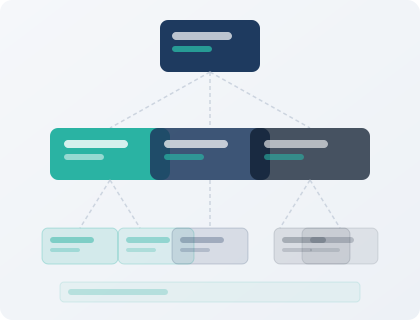
Classification is the foundational function of the Wattleriq environment. When information is introduced to the system, it passes through a classification layer that examines its content type and assigns it to one or more predefined categories. These categories form the structural backbone of the user-facing interface.
The classification process is applied consistently. It does not evaluate the quality or importance of the information it handles — it determines where that information belongs within the established architecture. This means that two items of similar content will typically be placed in the same category, regardless of their origin or apparent significance.
Users see the results of classification in the sections and panels presented to them. The category labels visible in the interface correspond directly to the categories applied during classification, so there is a transparent relationship between the system's internal processes and the interface the user navigates.
Structured Review Panels
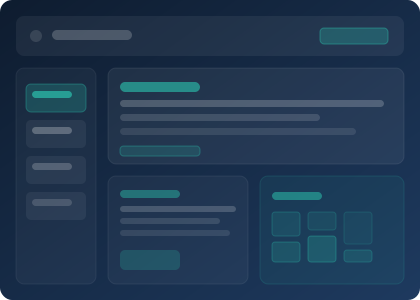
Once information has been classified, it is presented through review panels. Each panel is a structured display of content within a particular category. Panels are designed to surface the most relevant information at the top and provide contextual detail in supporting areas below.
Review panels are not static. The content within them reflects what the system has classified at any given time. As new information is introduced and classified, it is incorporated into the appropriate panel. Users reviewing a panel on different occasions may therefore see different content, depending on what has been made available to the system in the intervening period.
Each panel includes contextual labels that indicate the basis on which the content was classified and any relevant qualifications about its scope. Users should read these labels as part of their review process, not as decorative elements.
Guided Navigation
Wattleriq's interface includes a navigation layer that helps users move through the information environment without losing their context. This takes the form of section markers, breadcrumb-style indicators in more complex areas of the system, and consistent labelling across all panels.
The navigation layer is designed so that a user can always determine which section of the environment they are currently in, what other sections are available, and how to return to a previous point. This is particularly important in a system with multiple classification categories, where users may need to compare information across sections to reach a useful conclusion.
Navigation within Wattleriq does not imply that all sections contain the same depth of information. Some categories will have more classified content than others, depending on what has been made available to the system. The navigation layer presents all sections equally, regardless of their current content volume.
Enquiry Handling
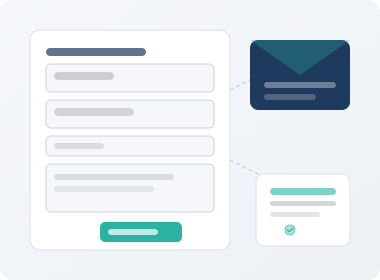
Users who have questions about the system, its content, or the classification of specific items can submit an enquiry through the contact page. The enquiry channel is staffed by the Wattleriq support team, who review incoming messages and respond to the email address provided by the user.
The enquiry system accepts four types of request: general questions about the platform, questions about specific classified content, requests for access to sections of the environment, and clarification requests about the system's capabilities or limitations. Each type of enquiry is handled according to the same process — review and direct response — though the detail of the response will vary.
The support team may ask for additional information before responding to an enquiry. This is a normal part of the process and does not indicate that the enquiry has been rejected. Users should monitor the email address they provide for follow-up communications.
How to Request Access to the System
If you are unable to access a particular section of the Wattleriq environment, or if you would like to request access for the first time, the following steps describe the process.
-
Review the Available Information
Before submitting an access request, review the publicly available sections of the Wattleriq environment to confirm that the information you are seeking is not already accessible.
-
Prepare Your Enquiry
Describe the section or type of information you are seeking to access. Include any relevant context that would help the support team understand your request.
-
Submit via the Contact Page
Use the enquiry form on the contact page, or send an email directly to [email protected]. Select the request type that best describes your enquiry.
-
Await a Response
The support team will review your request and respond to the email address you have provided. The team may ask for further information before concluding the review.
Questions About These Capabilities?
If you have questions about how any of these capabilities apply to your situation, or if you would like to discuss your access needs, the support team is available through the enquiry channel.